- Category
- Slot
- Best for
- Casual players who like cheerful, cute slots
- Lobby title
- BINGOINK
- Literal meaning
- (no Chinese title; label is BINGOINK)
- Where to play
- Browser, Android APK, iPhone web app
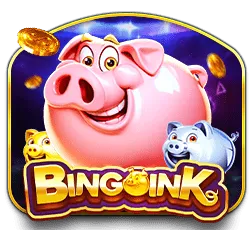
Bingoink is a cartoon money slot whose tile shows a laughing pink piggy bank with coins dropping in and two smaller pigs beside it. Choose a bet, spin and check the paytable inside the game for symbols and rules.
- Big pink piggy bank with its tongue out and coins falling into its back
- A yellow pig and a grey-blue pig flank it on a dark purple backdrop
- No Chinese title in the catalog; the label is simply BINGOINK
- Symbols, lines and features are listed on the info screen in the game
A piggy bank with a sense of humour
Bingoink is a slot in the Ultra Thunder lobby with no Chinese title at all; the catalog label is simply BINGOINK in capitals. The name puns on “oink”, and the artwork commits to the joke. A large pink piggy bank fills the centre of the tile, grinning with its tongue out and its eyes half closed, while gold coins drop toward the slot in its back.
Two smaller pigs keep it company: a yellow one at the lower left holding a coin and a grey-blue one at the lower right. The background is a dark purple that makes the pink and gold pop, and the lettering “Bingoink” runs across the bottom in rounded gold letters with a pink-rimmed coin standing in for the first “o”.
What the artwork does and does not tell you
The tile is pure character art. It shows pigs and coins, so you can expect a savings and money theme, but it does not show reels, symbols, a bonus wheel or a jackpot meter. We never describe features we cannot see on the icon. The paytable and info screen inside Bingoink list the symbols, the pay rules and any special rounds, so open those before you commit a stake.
Betting basics for Bingoink
Slots on Ultra Thunder share a simple rhythm. Choose a bet, spin, read the result. The controls usually include a bet selector, a spin button and an info button. Use the info button first.
Two figures matter. The first is the bet per line, if the game uses lines; the second is the total bet per spin, which is what actually leaves your balance. Some games show both, some show only the total. Either way, the total is the number to compare against your session budget. The slots guide explains how these figures relate, and how to play covers the lobby, wallet and game login steps.
A good match for casual sessions
Bingoink suits players who like cheerful, cartoon-style slots and short sessions. The pig is friendly rather than flashy, and the whole tile reads as light entertainment. It pairs well with other cute-and-casual games like Cookie Pop with its sweets-and-soda artwork and Pug Pays Party.
If you prefer the serious money look, Cash Machine shows the same cash theme with a banknote portrait instead of a cartoon pig.
Treat the piggy bank as a reminder
The art is a useful metaphor. Decide how many credits go into the game for this session, Cash In that amount and nothing more. Start on the smallest bet available and spin slowly enough to read each result. If the session budget runs out, the session is over; do not top up mid-game on impulse.
When you stop, Cash Out whatever is left so the credits return to your wallet. Transaction History records the move with a status, which makes it easy to see exactly what a session cost. Ultra Thunder also runs cashback periods and a daily prize-wheel spin; the current terms are shown in the account, and we never quote a rate here.
How to get Bingoink on your screen
Create a free account on the official Ultra Thunder sign-up page with a username, email, password and a phone number verified by SMS. Players must be 18 or older, and availability depends on where you live. In the lobby, open the wallet and use Deposit to add funds; the methods and any limits are shown before you confirm.
Find the Bingoink tile, tap Get Game Access, and your game username and password appear instantly. Cash In your session amount, press Play, and the game opens in the browser or in the app on Android, iPhone or PC. The official download links, where a game has its own client, are shown inside your account rather than on any third-party site.
See the full slot games list for every slot in the lobby.
How to open Bingoink: create your free account, open the game in the lobby, tap Get Game Access, then Cash In from your wallet. Outcomes are random; set a budget before you play. Full how-to-play guide.
Bingoink questions
Why is the slot called Bingoink?
The name joins bingo with oink, the pig noise, and the tile is built on that joke: a large pink piggy bank grins at the player while gold coins drop into the slot on its back. Unlike most slots in the lobby, Bingoink has no Chinese title; the catalog label is simply BINGOINK in capitals. The lettering uses a pink-rimmed coin in place of the first o.
Is Bingoink a bingo game or a slot?
It is a slot. Despite the first half of the name, the game is listed in the slot category of the lobby and plays with a bet selector and a spin button. Whether any bingo-style symbols or bonus appear on the reels is something the icon does not show, so check the paytable inside the game before you decide how to bet.
What is the smallest bet on Bingoink?
The minimum and maximum stakes are set inside the game and shown on its bet control and paytable, not on this page. Open Bingoink, press the info button and note the lowest total bet per spin. Compare that with your session budget before you Cash In. Starting at the minimum is the sensible way to learn how the symbols behave.