- Category
- Slot
- Best for
- Fans of the first Life of Luxury who want new art and a fresh paytable
- Lobby title
- 富豪生活2
- Literal meaning
- life of the wealthy 2
- Where to play
- Browser, Android APK, iPhone web app
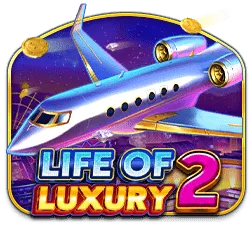
Life of Luxury II is the sequel slot in the Ultra Thunder lobby, with a white private jet and gold coins over a city skyline on its icon. Choose a bet, spin and read the paytable in the game.
- A white private jet with gold-rimmed engines banking over a night-time city
- Purple and pink skyline, rising lights and gold coins scattered in the air
- LIFE OF LUXURY 2 lettering with a large red numeral 2 beside the name
- Its paytable is separate from the first game; check the info screen inside
What changed on the icon
The first Life of Luxury put a person on the tile. Life of Luxury II removes the character entirely and replaces him with a machine. A sleek white private jet, nose tilted upward, banks across the frame with gold-rimmed engines glowing at its tail. Below it a city skyline glitters in purple and pink, with beams of light rising from the streets.
Gold coins hang in the air at the top corners, the one direct link to the original’s art. The lettering is LIFE OF LUXURY in red and pink with a gold edge, and a large red numeral 2 sits beside it. The Chinese title 富豪生活2 reads as life of the wealthy, part two. Same idea, different vehicle.
Why the sequel needs its own paytable check
Because this is a separate tile with its own game ID, nothing you learned from the original paytable carries over automatically. Open Life of Luxury II, tap the info button, and read the symbol list and values for this version before you spin with real credits.
We do not list paylines, bonus rounds, multipliers or jackpots for either game. The only thing the icon shows is the jet, the skyline and the coins, so that is all we claim. The in-game screen is where the actual rules are.
The spin loop itself is standard for Ultra Thunder slots: set a bet, press spin, collect any wins into your in-game balance. Our slots guide explains the controls if you want them spelled out, and the how to play page covers the account side.
Original versus sequel: how to choose
Treat the two as sister games rather than versions. The original Life of Luxury has a warmer, more personal feel with its tuxedo and wine glass. The sequel feels faster and more open, with the jet suggesting motion and distance. If the night-city art in the sequel appeals to you, Triple Diamond carries a similar purple glow with classic sevens.
Players who like to compare can run a short session in each. Keep both on the lowest bet, play the same number of spins, and note which paytable you understood better. Preference is a perfectly good reason to pick one.
Running a disciplined session
A sequel is a good moment to reset habits. Decide on a session budget before you Cash In, and start on the smallest bet the game allows. Low bets mean more spins and a better read on how the paytable behaves in practice.
Step up only in small increments, and never chase a budget you have already spent. When you finish, press Cash Out to return the remaining credits to your wallet. That single habit keeps money from sitting forgotten inside a game.
Availability depends on where you live. 18+ only.
Getting Life of Luxury II running
One account covers both Life of Luxury games and the rest of the Ultra Thunder lobby. If you do not have one yet, open a free Ultra Thunder account with a username, email, password and a phone number verified by SMS. Log in to the player app in any browser.
Add money with Deposit in the wallet. Open the full slots list, find Life of Luxury II and tap Get Game Access. Your game username and password appear right away. Use Cash In to move credits into the sequel, then press Play in the browser or use the official Download link on that page for the Android or iPhone client.
Transaction History keeps a record of every transfer, and 24/7 live chat in the Ultrathunder app can help if a login or Cash In needs attention.
How to open Life of Luxury II: create your free account, open the game in the lobby, tap Get Game Access, then Cash In from your wallet. Outcomes are random; set a budget before you play. Full how-to-play guide.
Life of Luxury II questions
Is Life of Luxury II the same game as Life of Luxury?
No. They are two separate tiles in the Ultra Thunder lobby with their own icons and their own paytables. The original shows a man in a tuxedo in Paris; the sequel shows a private jet over a city at night. Opening one does not open the other, and each needs its own Get Game Access, so check the paytable in the one you actually launch.
What does 富豪生活2 mean?
富豪生活2 is the Chinese title and it reads as life of the wealthy, part two. The number marks it as the follow-up to 富豪生活. The icon moves the theme from a night out in the city to private air travel, with the jet, gold engines and coins doing the work. The lettering on the tile is LIFE OF LUXURY with a big red 2.
Should I play the sequel or the original first?
It does not matter for your account, since both run from the same wallet and the same login. Pick the art you prefer. If you want to compare them, open each one, read its paytable from the info button, and play a short session on the smallest bet. Cash Out from one before you Cash In to the other so your credits stay in the wallet between games.