- Category
- Fish table
- Best for
- Players who like a bold character on an undersea table
- Lobby title
- 大龙虾
- Literal meaning
- giant lobster
- Tile lettering
- Big Lobster
- Where to play
- Browser, Android APK, iPhone web app
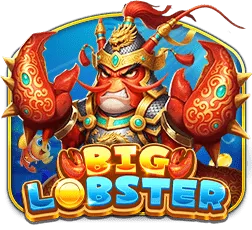
Lobster Monster is an Ultra Thunder fish table whose tile is lettered Big Lobster, a direct translation of the Chinese title 大龙虾. The icon shows a red lobster in gold armour and a plumed helmet raising both claws, and the game is a shared-screen cannon shooter.
- Red lobster in gold armour and a plumed helmet with both claws raised
- Tile lettering reads Big Lobster; the catalog name is Lobster Monster
- Chinese title 大龙虾 means giant lobster
- Cannon shooting with a bet level per shot on a shared screen
The lobster in armour
Lobster Monster’s tile is one of the more cheerful character icons in the Ultra Thunder fish section. A bright red lobster stands square to the viewer with both claws raised, each claw wrapped in gold bands set with green stones. It wears a gold helmet with a red plume and a scowling, determined face, and its body is plated in gold armour over the red shell. The background is clear blue water, and a small orange fish watches from the bottom-left corner. The lettering reads Big Lobster, with Big in red and Lobster in blue with a white outline.
The Chinese title is 大龙虾, which is simply giant lobster. The tile translates that as Big Lobster, while our catalog name, Lobster Monster, leans on the armour and the scowl. Either name leads to the same game and the same login.
What the table actually does
Behind the character it is a fish table in the usual format. A cannon sits at the bottom of the screen. You pick a bet level, which is what each shot costs, and fire at creatures moving across the water. Small targets fall after a few shots; a large armoured target takes many more, so it costs far more to bring down.
The screen is shared with other players. Their shots count against the same targets, so a big one can disappear while you are still firing at it. The Ultra Thunder fish tables guide explains how to handle that when choosing where to aim.
We do not publish target values, special weapons or any multiplier or payout figure for Lobster Monster. The info screen inside the game carries the current list and is the only source worth relying on.
Who it suits
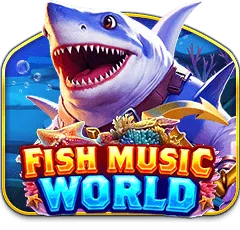
This table is for players who enjoy a clear hero character and bright, uncluttered water. The red lobster is easy to spot, and the blue background keeps the rest of the targets legible on a phone. If you want a plainer reef with the same controls, Fish’s Fun World is the comparison.
For an undersea table with a mechanical twist, Mecha Era swaps sea creatures for machines, and Raiden brings jets into the mix. All of them run inside one account and draw on one wallet.
Keeping the claws in budget
Pick a session budget and Cash In only that amount. Start at the lowest bet level the table allows and keep it there until you know how quickly your balance moves. A character tile can tempt you to chase the big target straight away; the cheaper path is to learn the smaller ones first.
Aim at targets you have chosen rather than holding fire on everything. If the armoured lobster or another large target already has several players on it, let it go. When you finish, Cash Out the remaining credits to your wallet.
How to open Lobster Monster
Create your own free account on the official Ultra Thunder app, confirm your phone number, and log in. In the lobby, find the Big Lobster tile and tap Get Game Access; your game username and password appear on the game page immediately. Add money with Deposit if needed, then Cash In to load the game.
Play in the browser on any phone, tablet or computer, or use the official client links shown on the game page after Get Game Access. There is no store listing, no third-party file and no agent. Browse the full fish game list to compare tiles, read how to play for a first-session walkthrough, and then register your free Ultra Thunder account. Availability depends on where you live. 18+ only.
How to open Lobster Monster: create your free account, open the game in the lobby, tap Get Game Access, then Cash In from your wallet. Outcomes are random; set a budget before you play. Full how-to-play guide.
Lobster Monster questions
Is Big Lobster the same game as Lobster Monster?
Yes. The Chinese title is 大龙虾, giant lobster, which the tile renders as Big Lobster. Our catalog lists the same game as Lobster Monster. There is one icon, one game login and one set of rules behind both names. In the Ultra Thunder lobby, look for the red armoured lobster with its claws up and tap Get Game Access on that tile.
Is the lobster a boss you have to beat?
The lobster is the character on the icon, drawn in gold armour with a plumed helmet. Whether it appears in play as a target, how many shots it takes and what it is worth are features we do not publish, because they can change between updates. The info screen inside the game lists the current targets and rules; check it before you decide which targets to chase.
Can I move credits from Lobster Monster to another game?
Yes, through the wallet. Tap Cash Out on the Lobster Monster game page to return credits to your Ultra Thunder wallet, then open the other game and tap Cash In. Credits are not transferred directly between games. Transaction History on the wallet page records each Cash In and Cash Out with its status so you can see where your balance is at any time.